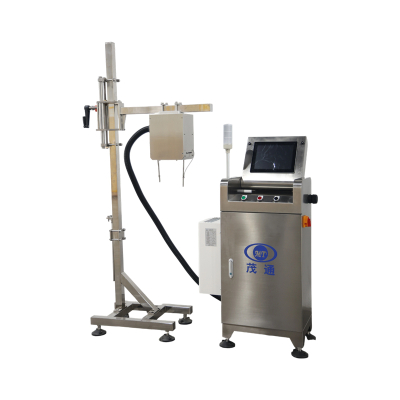
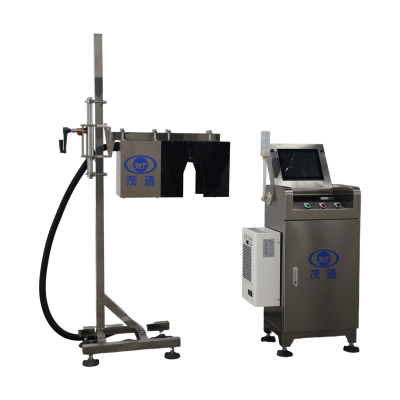
Can Code Inspection Machine Stops Bad Codes Early
Unreadable inkjet codes on cans are more than cosmetic defects. A missing date, blurred factory code, or duplicated security code can weaken batch traceability and create avoidable downstream quality risk. For beverage lines running at high speed, a Can Code Inspection Machine provides inline inspection immediately after coding, helping identify defective cans before they continue through production.

How Inline Can Code Inspection Works
A Can Code Inspection Machine is installed close to the inkjet printer. When a can passes the positioning sensor, the control unit records the can identification signal and the current encoder signal. A Gigabit Ethernet digital camera then captures the code image from above and sends it to the image processor for analysis. The inspection result is displayed on the HMI and transferred to the control unit. If the can is judged unqualified, the rejector removes it from the line.
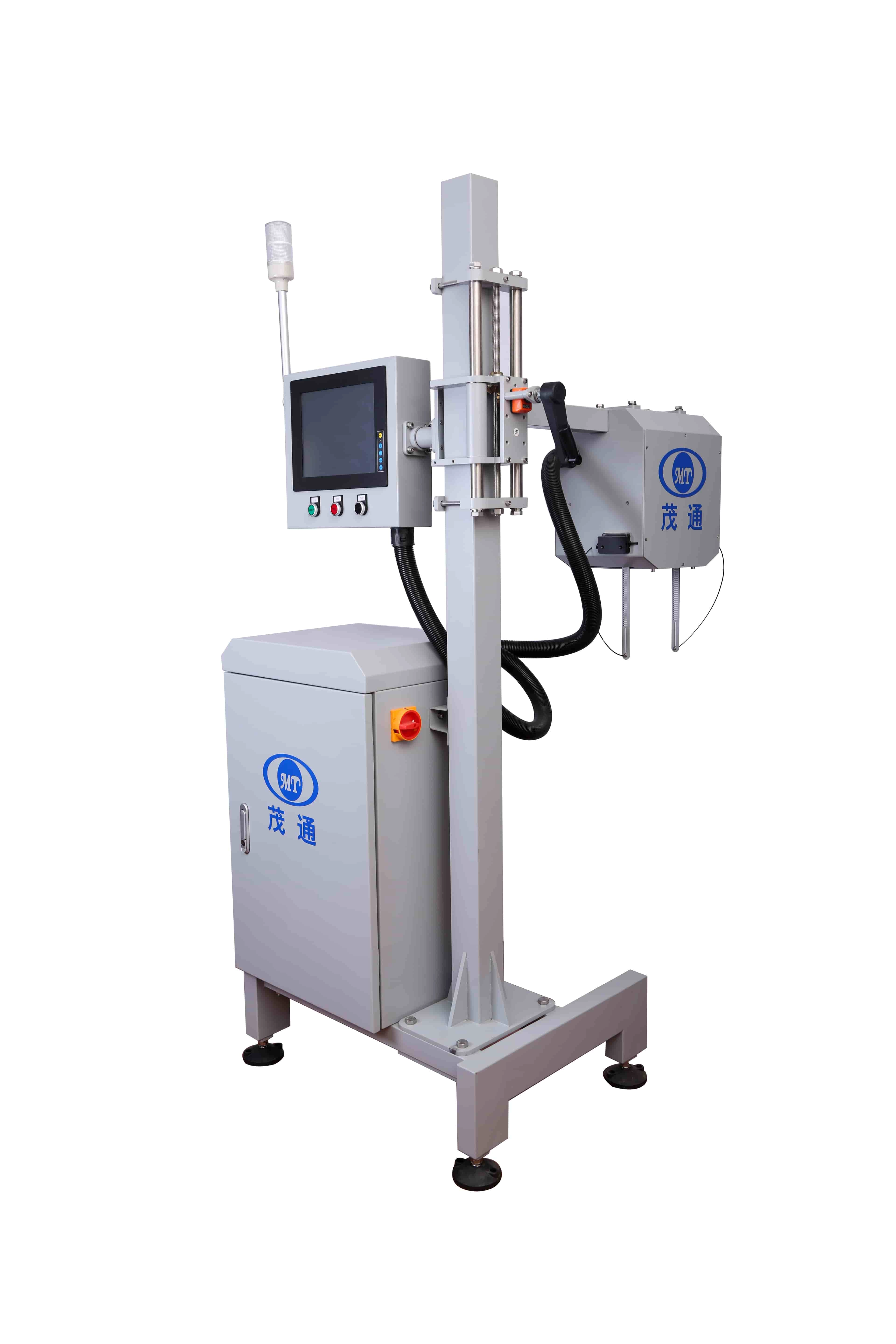
This encoder-based workflow matters because line speed may fluctuate or stop during real production. By synchronizing image capture, product tracking, and rejection timing, the Can Code Inspection Machine supports accurate online rejection without relying on manual visual checks.
Core Defects the System Detects
The first function is code presence checking. The system detects no inkjet printing, covered printing, missing codes, and inverted cans. This prevents products without readable production information from entering later packaging or distribution steps.

The second function is blurred code detection. Inkjet characters may become unreadable because of poor printing quality, can surface interference, or distorted characters. The Can Code Inspection Machine identifies fuzzy inkjet printing when characters cannot be recognized by the human eye.
The third function is printing error detection. The system checks incorrect date information, factory codes, anti-counterfeiting codes, and code deformation such as elongation or shortening. This matters because a code can be physically present but still carry the wrong production information.
The fourth function is character omission detection. For missing inkjet printing, the system can identify a single character defect when more than 20% of the character is missing. This helps catch partial print failures that may still look acceptable during quick manual checks.
The fifth function is character recognition. The Can Code Inspection Machine reads and interprets inkjet printing information, supporting automatic verification of code content. The sixth function is position and duplicate code detection, including codes that exceed the preset expansion zone or multiple codes printed within the designated code area.
Performance Data Buyers Should Review
The Can bottom code inspection machine is designed for inline inspection of inkjet printing on can bottoms in high-speed can production lines. Its configuration includes non-contact online inspection, a multi-module no-dead-angle design, self-developed detection software, independent image processing algorithms, 360° inspection coverage, defect image storage, and IP65 protection.
| pection item | Testing condition | Rejection rate | False kick rate |
|---|---|---|---|
| Inkjet printing inspection | General inspection | — | ≤ 0.03% |
| No inkjet printing | Cover print, missing print, inverted can | >99.99% | — |
| Missing inkjet printing | Single character missing >20% | >99.8% | — |
| Fuzzy inkjet printing | Characters unreadable to the human eye | >99.93% | — |
| Incorrect inkjet printing | Wrong date, factory code, security code, deformation | >99.99% | — |
| Position offset | Beyond expansion zone | >99.99% | — |
| Duplicate inkjet printing | Multiple codes in the code area | >99.99% | — |
The Can Code Inspection Machine supports inspection speeds up to 72,000 cans per hour, equal to 1,200 cans per minute. The rejection data is theoretical experimental data, and the listed inspection items are tested in real time for each can.
Practical Integration Points
Before selecting a Can Code Inspection Machine, production teams should confirm the installation position after the inkjet printer, the target line speed, code content rules, acceptable character omission threshold, and the rejection method required by the line layout. Preparing real cans with normal codes, missing codes, blurred codes, wrong dates, position offsets, and duplicate codes makes commissioning more direct and predictable.
It is also useful to review how the HMI is managed. The system supports multi-level user permissions, which helps separate routine operation from parameter adjustment. For long operating periods, the built-in industrial-grade cooling configuration is intended to support stable operation under high-temperature production conditions.
Why It Matters for High-Speed Beverage Lines
Manual code inspection is difficult to keep consistent when cans move quickly and printing defects vary from one shift to another. A Can Code Inspection Machine changes the process from sampling-based judgment to real-time inline verification. It checks each can, records defect images by date with adjustable retention time, and supports continuous rejection and line-stop functions when required.
For plants focused on traceability, code accuracy, and stable output, the Can Code Inspection Machine is not simply an add-on. It is a practical inspection station that helps ensure every can leaving the coding area carries readable, correctly positioned, and compliant inkjet information.
FAQs
Can a Can Code Inspection Machine inspect every can online?
Yes. The system is designed for real-time inline inspection and analyzes cans as they pass the positioning sensor and camera station.
What defects can the system detect?
It detects missing inkjet printing, covered printing, inverted cans, blurred characters, wrong date or factory code information, missing characters above the defined threshold, position offset, and duplicate coding.
What is the maximum inspection speed?
The system supports up to 72,000 cans per hour, equivalent to 1,200 cans per minute.
Where should the machine be installed?
It should be installed close to the inkjet printer so freshly printed can codes can be inspected before the products move further downstream.
Does the system store defect images?
Yes. Defective can images can be stored by date, and the storage retention time can be adjusted according to production requirements.