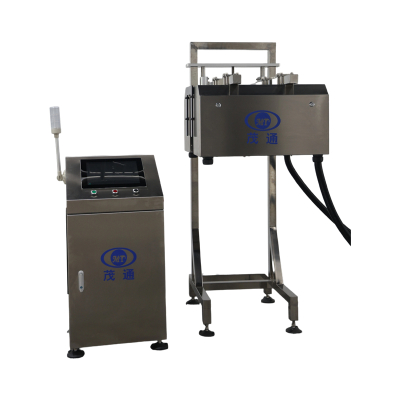
Code Inspection System Catches Can Bottom Defects Early
In high-speed can production, a bottom code is more than just a printed mark; it's a critical element for product traceability, date verification, factory-code control, and subsequent quality management. Unfortunately, various issues can compromise coding quality. For instance, water droplets remaining on the can bottom, a clogged inkjet nozzle, or even a shifting printer trigger sensor or printhead can lead to blurred, incomplete, missing, or misplaced codes. To combat these challenges, a dedicated Code Inspection System is essential. This system specifically checks can-bottom inkjet printing online, swiftly identifies defective printing, and automatically rejects any corresponding cans before they move further down the production line.

Why Can Bottom Codes Need Inline Inspection
Can-bottom coding frequently fails due to several common production challenges. Water droplets might persist in the coding area if the blower isn't adjusted just right. Printer nozzles can clog after continuous operation or if not cleaned adequately. Furthermore, a displaced trigger sensor or printhead often causes characters or entire codes to go missing, or leads to significant position deviation.
On high-speed lines, these minor problems quickly escalate, potentially affecting thousands of cans. Our Code Inspection System offers non-contact online inspection, ensuring the can body remains entirely undamaged during the inspection process. With a remarkable maximum inspection speed of 72,000 cans per hour, or 1,200 cans per minute, it's perfectly suited for the most demanding high-speed can production environments, preventing widespread defects effectively.
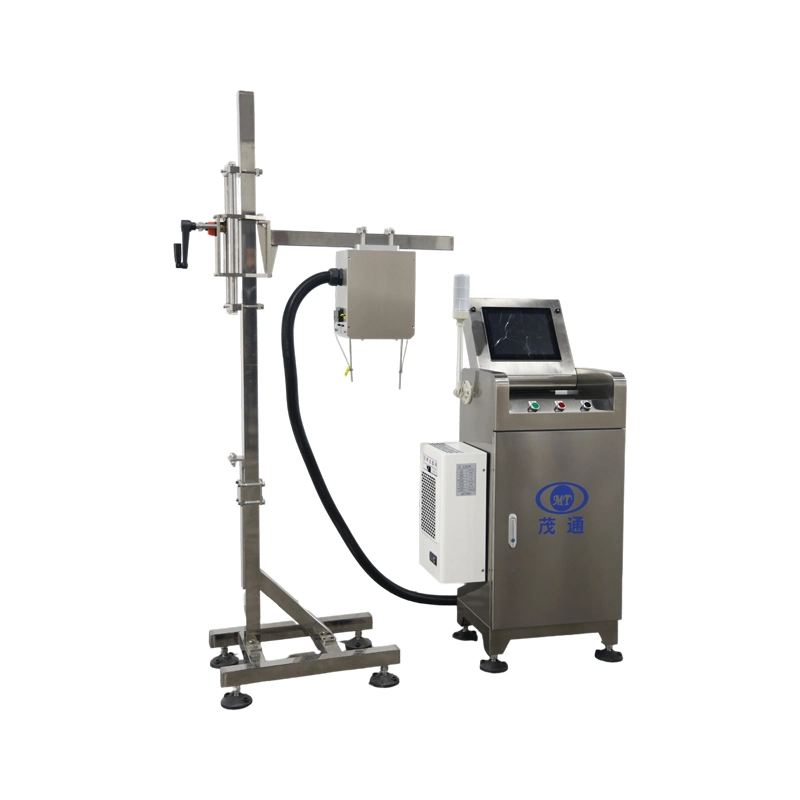
What Defects the System Detects
Our system is specifically engineered for can bottom code inspection, covering comprehensive date-code recognition, fixed-information recognition, and precise defect judgment. It effortlessly identifies year, month, and day characters, alongside fixed information like TN, HB, GM, HG, “Qualified,” and anti-counterfeiting codes. An added benefit is the automatic adjustment feature for date systems, removing the need for manual intervention.
Below is a detailed breakdown of the inspection items and their impressive specified rejection rates:
| Inspection item | Specified rejection rate |
|---|---|
| No inkjet printing, cover printing, missing printing, or inverted can | >99.99% |
| Single character missing by more than 20% | >99.8% |
| Blurred printing unreadable to the human eye | >99.93% |
| Incorrect date, factory code, security code, or deformation | >99.99% |
| Position offset beyond the set range | >99.99% |
| Duplicate inkjet printing in the code area | >99.99% |
For inkjet printing inspection, the specified false-kick rate is remarkably low, standing at ≤0.03%. These rejection-rate figures represent theoretical experimental probabilities, reflecting the system's accuracy during real-time inspection of individual cans.
How the Code Inspection System Works
The inspection workflow is meticulously designed to link each image result directly to the physical can that produced it. The process begins with a positioning sensor detecting an arriving can. Immediately, the control unit records the can's unique identification number and the current encoder signal. The sensor then triggers a Gigabit Ethernet digital camera, which captures a high-resolution image of the can-bottom code from above.
This image is then rapidly transmitted through the network to the powerful image processor for digital analysis. The inspection result is instantly sent to the human-machine interface for dynamic display and concurrently to the control unit for rejection management. If a code is deemed unqualified, the control unit quickly instructs a rejector to remove the specific can with the corresponding identification number from the production line.
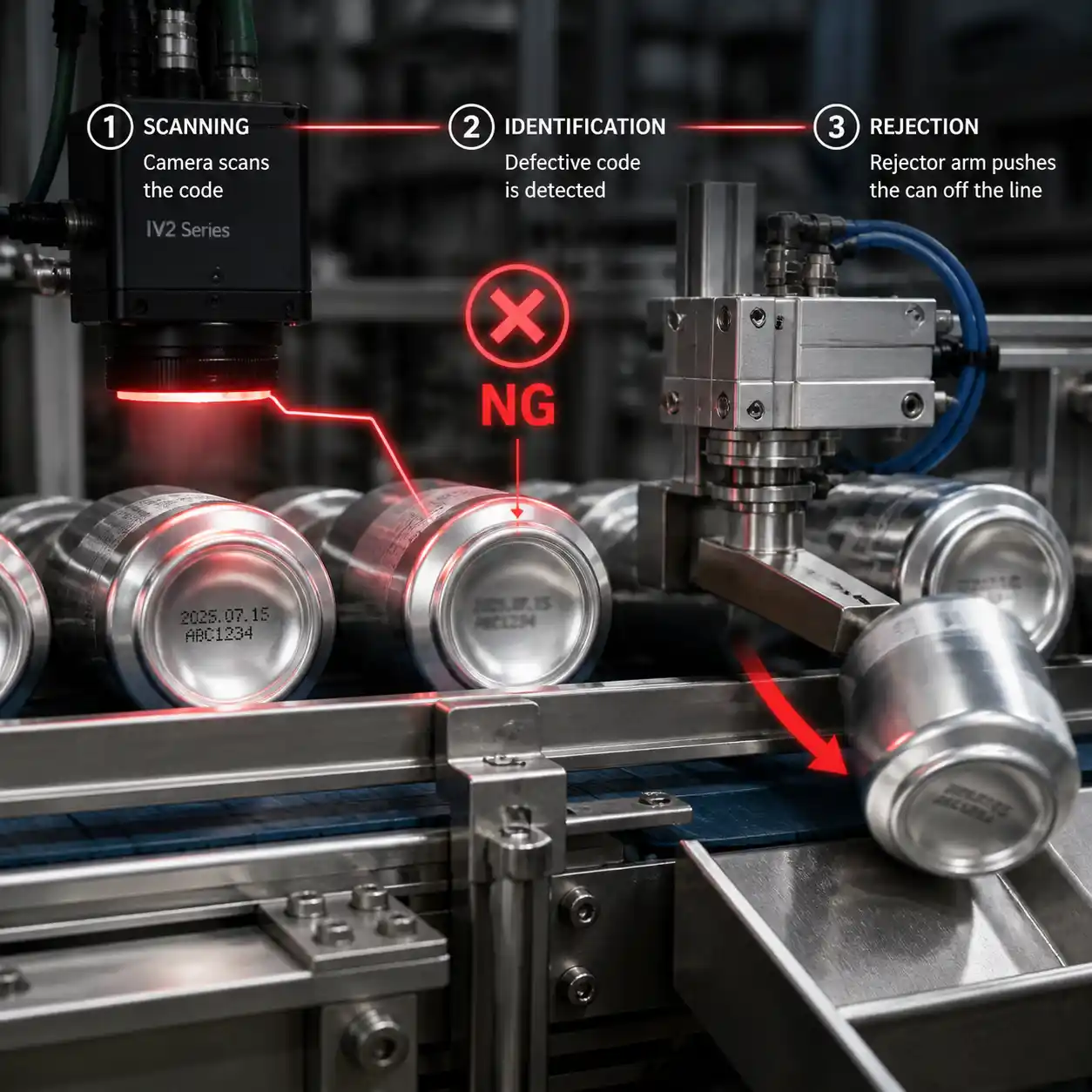
This encoder-based counting method is crucial for maintaining precision, as the encoder is installed on the synchronous motor of the conveyor chain. Once a defective can's number is recorded, the rejection accuracy remains unaffected by any line stops or speed changes, ensuring consistent quality control.
Stability Features for Daily Production
Beyond just recognizing codes, stable and reliable operation is a cornerstone of effective inline print quality inspection. Our Code Inspection System comes equipped with a flexible Human-Machine Interface (HMI) featuring multi-level user access, making it intuitive and secure for operators. It also provides convenient and fast character training for new code patterns, streamlining setup for different product runs. For thorough quality analysis, the system includes automatic defect-photo storage, organized by day with customizable retention times.
To guarantee uninterrupted performance, especially during challenging conditions, the inspection machine incorporates industrial-grade air conditioning. This crucial feature helps prevent system crashes and abnormal alarms that might otherwise occur during extended high-temperature operations in warmer months. Furthermore, Maotong’s latest inspection system software intelligently filters out the impact of can-bottom logos and surface scratches on coding detection, significantly reducing false rejections. The system also supports continuous rejection and shutdown functions, offers 24-hour remote control capabilities, provides comprehensive 360° coding inspection with no blind spots, and features zero-delay detection designed to avoid false rejections caused by common issues like cans rubbing, jamming, blocking, or manual placement on the line.
Installation and Buyer Evaluation Checklist
The optimal installation location for this system is closely after the inkjet printer. This strategic placement ensures that any printing problems are detected almost immediately after coding, preventing defective cans from advancing further into the production process and minimizing potential waste.
Before selecting a can code inspection machine, prospective buyers should carefully confirm several crucial line-level details:
A Code Inspection System proves most valuable when its detection and rejection components operate as one perfectly synchronized process. For can-bottom projects, the key decision points extend beyond whether a camera can simply read characters. It's about whether the system can effectively inspect all required defect types, accurately track each can, reject at the precise moment, and maintain stable, high-performance operation at speeds up to 72,000 cans/hour.
FAQs
What does the Code Inspection System inspect?
Our system meticulously inspects the inkjet printing quality on can bottoms. This includes detecting missing prints, blurred or unreadable printing, incorrect codes (like wrong dates or factory codes), missing characters (specifically those exceeding 20% of a single character), positional deviations, and instances of duplicate codes, all while ensuring accurate character recognition.
What is the maximum specified inspection speed?
The maximum specified inspection speed for our system is an impressive 72,000 cans per hour, which translates to 1,200 cans per minute, making it ideal for high-volume production lines.
Does the inspection process touch the can?
Absolutely not. The system utilizes advanced non-contact online inspection technology, specifically designed to prevent any physical interaction with and thus any potential damage to the can body during the inspection process.
Where should the system be installed?
The recommended and most effective installation position for the Code Inspection System is immediately after the inkjet printer. This placement allows for prompt detection of any printing issues right after they occur.
How does rejection stay synchronized with the inspected can?
Synchronization is maintained through an advanced encoder-based system. The control unit records each can's unique identification number along with the encoder signal. If the image analysis reveals an unqualified code, the rejector is precisely instructed to remove the can corresponding to that specific identification number, ensuring accurate removal even with line speed changes or stops.